



Indie Game Asset Checklist: How to Collect and Manage BGM, Images and Sound Effects
When you make a game on your own or as a small indie team, creating all the graphics and BGM yourself is a lot of work. That is why many developers end up collecting free assets. But if you collect them carelessly, you can run into a nasty surprise right before release: “We can’t use this in our game after all.” This article gives you a checklist to follow when collecting assets.
1. Check the license
Before you save an asset, always check the following points.
- Is commercial use allowed? (Can you use it in a game you sell or monetize with ad revenue?)
- Is modification allowed? (Changing colors, cropping, combining with other assets.)
- Is credit required? If so, does the creator specify how it should be written?
- What is the scope of the ban on redistribution? In many cases, bundling an asset into your game and distributing the game is fine, but handing out the asset by itself, as it is, is not.
- Is embedding in a game explicitly permitted? (Does the license clearly state that use in apps and games is allowed?)
The conditions for Otomusu’s assets are summarized in the Terms of Use.
2. Keep a record of where you got each asset
So that you never end up thinking “I can’t remember where I got this,” keep a list of the following. A spreadsheet or even a plain note will do.
| Asset | Source URL | Date obtained | License | Credit required? |
|---|---|---|---|---|
| BGM by XX | https://… | 2026/10/25 | Commercial use OK, modification OK | Optional |
It is a good idea to save the page that states the license as a screenshot or PDF. Terms can be changed later.
3. Match the art style and size
With pixel art in particular, if the size of a single pixel varies from asset to asset, the screen looks uneven.
- Is the pixel coarseness similar across characters, items and backgrounds?
- Does the color mood match (warm or cool, vivid or muted)?
- Are outlines used consistently, with the same thickness?
For how to think about sizes, see How to Choose a Pixel Art Size. If the colors do not match, you can also adjust them with the Color Variation Tool.
4. Check the file formats
- Images: PNG files with a transparent background are the easiest to work with.
- BGM: If you want the track to loop, WAV or OGG is better than MP3 (MP3 tends to add silence at the beginning and end). For details, see Tips for Looping BGM.
- Sound effects: Since they are short, WAV is easy to handle.
5. Match the mood of your BGM and sound effects
- Does the genre fit the world of your game?
- Does the mood of the music change from scene to scene? (Town, dungeon, battle, boss, ending.)
- When it loops, is it still comfortable to listen to for a long time?
For choosing music by scene, How to Choose BGM for Each Game Scene is a useful reference.
6. Use a folder structure that is easy to manage
assets/
  bgm/        … music (put the scene name in the file name)
  sfx/        … sound effects
  sprites/    … characters and items
  tiles/      … map tiles
  credits.md  … list of the assets you used and their credits
Putting the scene or purpose in each file name makes things easier to find later (for example: bgm_town_day.ogg).
7. Prepare your credits
In your game, list where your assets came from, either in the end credits or on an “About This Game” screen. Even for assets where credit is optional, writing it down is a way to show your thanks to the people who made them. For example wording, see How to Write Credits.
Summary
- Check the license (commercial use, modification, redistribution, credit) first.
- Record the source and date for each asset, and save the terms page too.
- Match pixel coarseness and color mood.
- Get BGM in a format suited to looping.
For the big picture of collecting assets, see also The Workflow for Making a Game with Pixel Art Assets.
Tracks mentioned in this article
Press ▶ to listen, or open a track to download it for free.
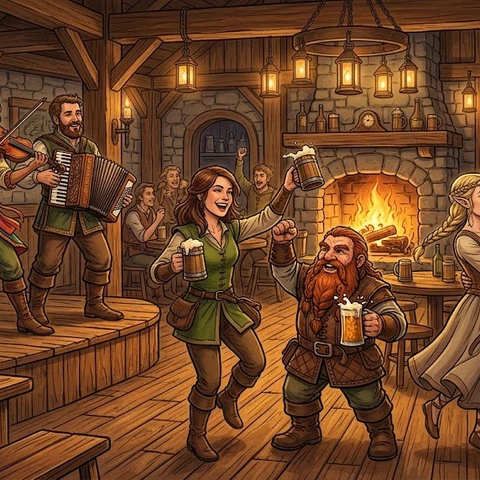
酒場のジグと乾杯
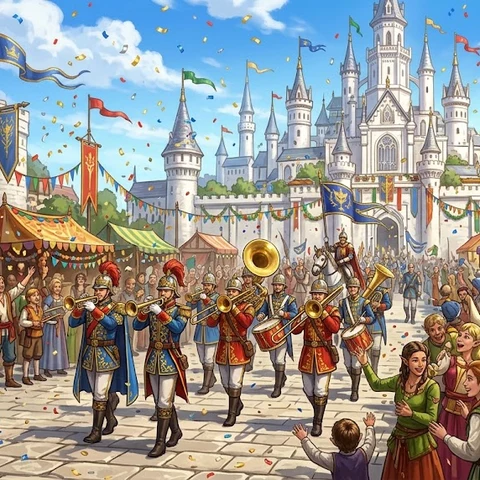
王都の祝祭
Terms of use for the assets
- Free
- No registration
- Commercial use OK
- Edits OK
- Credit optional
- No usage report needed
See the terms of use for details.
Related articles
- How to Make a Mini Game: A 7-Step Solo Dev Guide from Idea to Release
- Sound Effect Types and How to Choose: Confirm, Attack, Heal and Fail Sounds for Games and Videos
- Game Title Screen, Ending & Game Over Music: Roles and How to Choose
- How to Choose and Make Game Sound Effects: Keep Them Short, Don't Stack Too Many, and Match the BGM