



How to Loop Game BGM Seamlessly: Tips for Unity, RPG Maker MZ and Godot
Game BGM is meant to play over and over. But if you simply switch on “loop playback,” you may hear a small pop or a moment of silence at the point where the track jumps from its end back to its beginning. This article shares practical tips for making your BGM loop naturally.
Why Does the Sound Break at the Loop Point?
There are two main causes.
- How MP3 files work … Because of the way MP3 encoding works, a very short stretch of silence can be added at the start and end of a track. If you loop the file as it is, that silence creates a brief gap at the seam.
- How the track ends … If a track finishes with a fade-out or a lingering tail, jumping straight back to the beginning makes it feel like the song has “ended.”
Method 1: Convert to OGG or WAV for Looping
If you want to loop BGM in a game engine, we recommend using OGG (Ogg Vorbis) or WAV. With the free audio editor Audacity, you can convert a file in these steps:
- Open the MP3 file you downloaded in Audacity.
- Select the silent sections at the start and end of the track and delete them.
- Go to “File” → “Export” and save as OGG (or WAV).
WAV keeps full sound quality but produces large files, while OGG keeps files small. If you want to keep your game’s file size down, OGG is the handy choice.
Method 2: Decide the Loop Points
With some tracks, you only want to repeat the part after the intro (the opening section) has finished. In that case, set a “loop start point” and a “loop end point”.
- Start point: The beginning of the measure where the intro ends and the main section starts.
- End point: Just before the spot where the track has come full circle and returns to the same phrase as the start point.
If you cut at the beginning of a measure, the seam becomes almost unnoticeable. If you know the tempo (BPM), you can calculate the length of one measure as “60 ÷ BPM × 4 seconds” (for 4/4 time). For example, at 120 BPM, one measure is 2 seconds.
If the seam still bothers you, add a very short fade-out of 0.05–0.1 seconds just before the end point and a fade-in of the same length just after the start point. This makes the “pop” noise much less noticeable.
Settings by Game Engine
Unity
- Check the “Loop” box on the AudioSource to enable looping.
- In the import settings, setting “Load Type” to “Streaming” saves memory for BGM.
- If you want a loop with an intro, you can either write a script that jumps back to the start point whenever the playback position reaches the end point, or split the intro and the looping part into separate files and play them one after the other.
RPG Maker MZ
- Put your BGM in OGG format in the
audio/bgmfolder. - If you write the tags “LOOPSTART” and “LOOPLENGTH” (specified in samples) into the OGG file, you can create a loop with an intro. You can write the tags using Audacity’s metadata editor or a dedicated tool.
Godot
- After importing an OGG file, turn on “Loop” in the import settings and re-import it.
- You can specify the loop start position in seconds with “Loop Offset.”
Note: Setting names and locations may change depending on the engine version. Please also check the official manual for the version you are using.
Tracks That Loop Well and Tracks That Don’t
| Good for looping | Not good for looping |
|---|---|
| Tracks with a steady rhythm that repeat the same phrases | Tracks where the tempo or mood changes dramatically partway through |
| Ambient, Chiptune, Lo-fi | Tracks with a clear “beginning” and “end” |
| Field, dungeon and town music | Ending or event music |
For example, the 8-bit [Adventure of the Pixel Hero](/2026/10/12/Adventure of the Pixel Hero/), the ambient track with traditional Japanese instruments [Stillness of the Bamboo Grove](/2026/10/12/Stillness of the Bamboo Grove/), and the calm [Memories of the Deep Sea](/2026/10/12/Memories of the Deep Sea/) are all tracks that are easy to listen to on repeat without getting tired of them.
Summary
- For looping, convert from MP3 to OGG or WAV and trim the silence at the start and end.
- For a loop with an intro, set the loop point at the beginning of a measure.
- Check each engine’s “Loop” setting and how it lets you specify the loop start position.
With Otomusu tracks, you are free to edit them to suit your game, including cutting, looping and fading (however, you may not redistribute the edited material). Just getting your BGM to loop naturally raises the polish of your game considerably. Give it a try!
Tracks mentioned in this article
Press ▶ to listen, or open a track to download it for free.
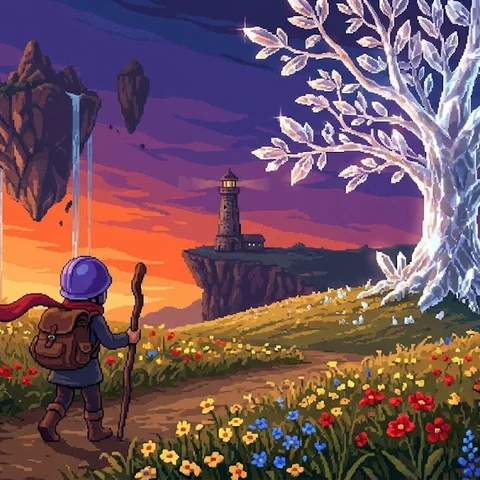
ピクセル勇者の冒険
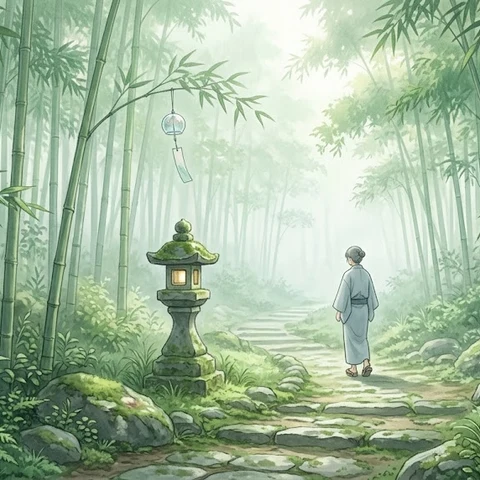
竹林の静寂

深海の記憶
Terms of use for the assets
- Free
- No registration
- Commercial use OK
- Edits OK
- Credit optional
- No usage report needed
See the terms of use for details.
Related articles
- How to Make a Mini Game: A 7-Step Solo Dev Guide from Idea to Release
- Sound Effect Types and How to Choose: Confirm, Attack, Heal and Fail Sounds for Games and Videos
- Game Title Screen, Ending & Game Over Music: Roles and How to Choose
- Indie Game Asset Checklist: How to Collect and Manage BGM, Images and Sound Effects