



Live Stream Waiting Screen & Break Music: How to Set a Mood That Makes People Want to Stay
Before a live stream starts, and during breaks mid-stream, the screen often sits still while only music plays. The BGM during this time has an important job: it creates an atmosphere where viewers feel it’s okay to wait.
In Live Stream BGM: Settings and Things to Watch Out For, we covered how to set up BGM during a stream. This article focuses on the waiting screen and break time, and walks through how to choose and play your music.
What BGM Does on a Waiting Screen
A waiting screen has three purposes.
- It signals that the stream is about to begin: Hearing sound reassures viewers that the stream is actually running.
- It keeps early arrivals waiting happily: If the music is pleasant, the time until the start doesn’t feel like a chore.
- It previews the mood of the whole stream: Your music can hint at what kind of stream this will be.
4 Tips for Choosing Tracks
1. Match your stream’s genre
- Gaming streams: Energetic, exciting tracks. Retro-style or action-style music fits well.
- Chat streams: Calm, relaxing tracks. Lo-fi or gentle acoustic music works nicely.
- Work or study streams: Tracks with no vocals and little variation (see What Makes Good Study and Work BGM).
- Singing or live-performance streams: Keep the pre-show music quiet to build anticipation.
2. Stick to tracks without vocals
On a waiting screen, viewers talk to each other in the chat. Music with vocals gets in the way when people are reading. Instrumental tracks are the safe choice.
3. Choose tracks that don’t get too lively
If the music is loud and busy from the very start, viewers can’t settle in. Compared with the energy of the main stream, keep the waiting-screen music a little more subdued. That makes the moment the stream starts feel even more exciting.
4. Sync with the start countdown
If you show a countdown on screen toward the start time, it looks cleanest when the end of the track roughly lines up with the start time.
- As the start approaches, lower the music volume gradually.
- After the start cue, switch to your main-stream BGM or your voice.
- Don’t let the music stop abruptly; connect smoothly with a fade-out.
Thinking About BGM During Breaks
Some viewers get anxious if a mid-stream break (bathroom, a drink, setup, and so on) is completely silent. Here’s how to handle break screens:
- Short breaks (3–5 minutes): Use the same relaxing tracks as your waiting screen.
- Long breaks: Play several tracks back to back. Choose tracks whose transitions aren’t noticeable.
- Signaling your return: Just before the break ends, switch to a slightly brighter track to help viewers get back in the mood.
Track Order and Length
You can’t always know how many minutes the waiting time will last, so the basic approach is to queue up several tracks in a row.
- Gather 3–5 tracks with a similar mood and make them a playlist (you can use the Playlist feature).
- If the moods are all over the place, the atmosphere shifts every time a track changes.
- Set your streaming software to loop the playlist.
Some examples: “Harp and a Drowsy Afternoon” has a relaxed, afternoon feel; “Evening Record on the Way Home” evokes an evening walk home listening to a record; and “Sunny Sunday Laundry” is bright and light. Try previewing them to see which fits your stream’s mood.
Volume Guidelines
- A waiting screen has no voice, so the BGM can take center stage. Just don’t make it too loud, or early arrivals may be startled.
- Check the voice and BGM levels in advance so there’s no sudden jump in volume when the main stream begins (see Tips for Balancing BGM Volume).
- Don’t rely only on your own monitor; check what viewers actually hear on a separate device.
Pre-Stream Checklist
- Does the BGM start playing automatically on the waiting screen?
- When a track finishes, does it connect to the next one without a gap?
- Have you decided how you’ll lower the BGM volume right before the start?
- Have you checked the usage conditions for each track (use in streams, credit requirements) in the Terms of Use?
- If you plan to keep an archive of the stream, have you checked how music is handled? (The article on Content ID may also help.)
Summary
- Choose waiting-screen tracks that match your stream’s genre and are vocal-free and not too lively.
- Fade out as the start time arrives to connect naturally to the main stream.
- Don’t leave breaks silent; play relaxing tracks.
- Prepare a playlist of several tracks so you’re covered however long the wait turns out to be.
Before your next stream, pick 3–5 tracks for your waiting screen and put them in a playlist. That alone will make the start of your stream much smoother.
Tracks mentioned in this article
Press ▶ to listen, or open a track to download it for free.
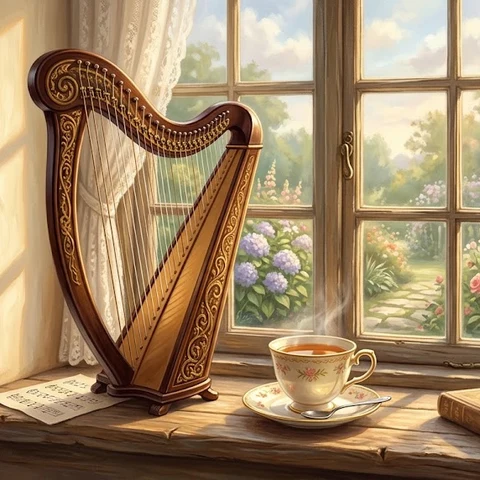
ハープとまどろみの午後
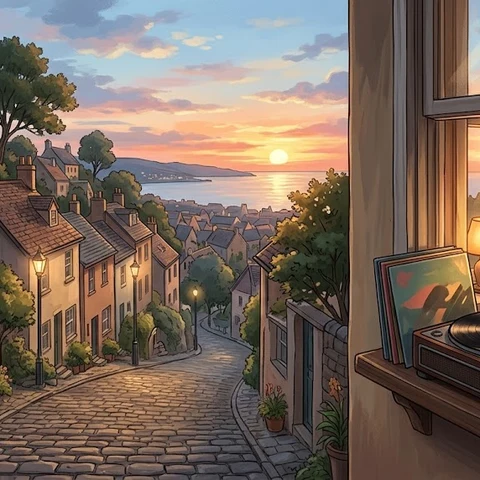
夕暮れのレコード帰り道
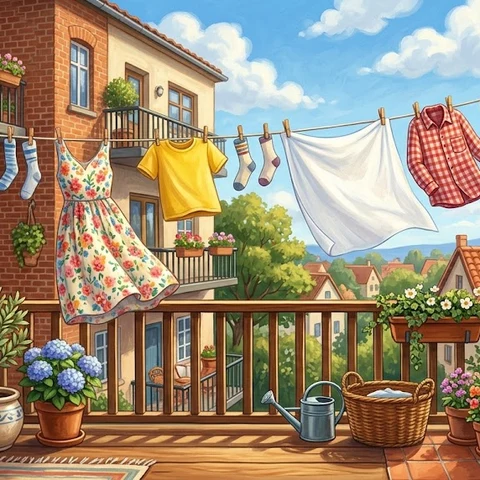
日曜の洗濯日和
Terms of use for the assets
- Free
- No registration
- Commercial use OK
- Edits OK
- Credit optional
- No usage report needed
See the terms of use for details.
Related articles
- What Makes Good Study and Work BGM: Sound Traits That Won't Break Your Focus (and How to Choose)
- Choosing BGM for School Events, Recitals and Sports Days: Best Genres and Tips for Each Moment
- How to Add BGM to Podcasts and Radio-Style Streams: Opening, Ending, and Under Talk
- How to Play Free BGM in Shops and at Events: Cafes, Salons, Exhibitions and School Festivals